How to Unblock Someone on Facebook (Mobile + Desktop, 2026)
Unblock someone on Facebook — step-by-step for iPhone, Android and desktop, the 48-hour rule, Messenger unblock, and the decision framework Meta doesn't teach.
In this article
- Quick answer
- Unblock someone on Facebook — mobile (iPhone / Android)
- Unblock someone on Facebook — desktop
- Unblock someone on Messenger (separate from Facebook)
- The 48-hour rule
- What unblocking does NOT do
- The Restricted List — a smarter alternative
- Before you unblock — the decision framework
- Common unblock problems
- When you should NOT unblock
- The bottom line
- Related guides
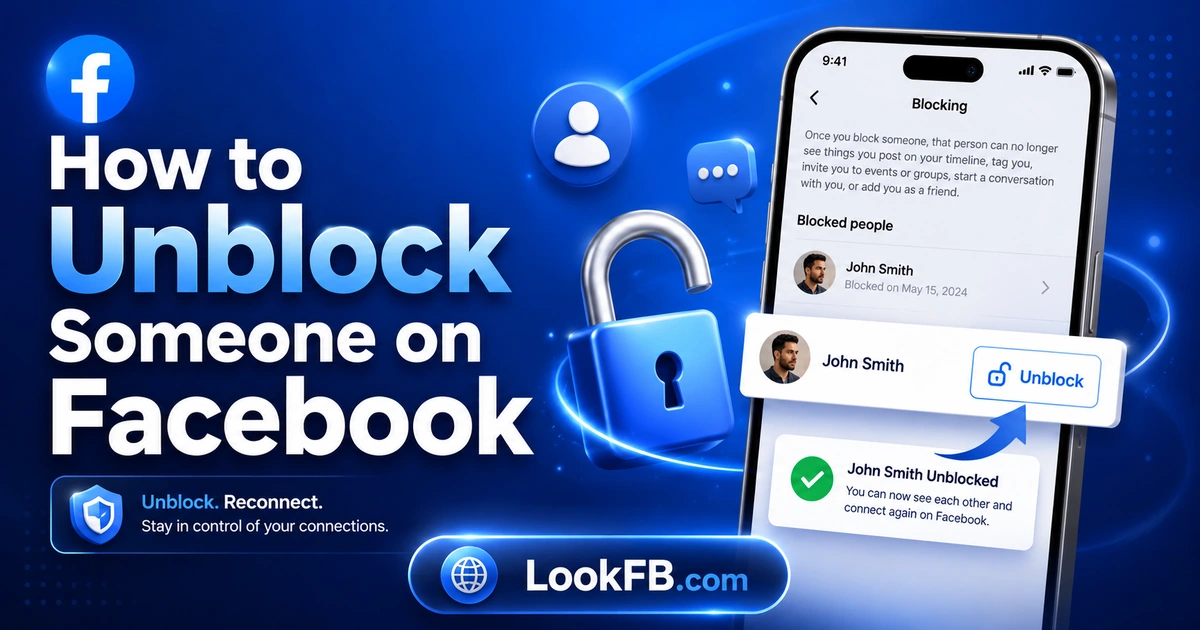
TL;DR: To unblock someone on Facebook in 2026, go to Settings & Privacy → Settings → Audience and Visibility → Blocking and tap Unblock next to their name. Unblocking does not re-friend them, does not notify them, does not restore old Messenger threads, and enforces a 48-hour cooldown before you can block that same person again. Messenger blocks are managed separately.
Quick answer
| Step | Action |
|---|---|
| 1 | Facebook → Menu → Settings & Privacy → Settings |
| 2 | Scroll to Audience and Visibility section |
| 3 | Tap Blocking |
| 4 | Find the name → tap Unblock |
| 5 | Confirm |
Takes 15 seconds. The effect is instant.
Unblock someone on Facebook — mobile (iPhone / Android)
- Open the Facebook app.
- Tap the Menu icon (three horizontal lines) or your profile picture.
- Scroll down and tap Settings & Privacy → Settings.
- Scroll down to the Audience and Visibility section.
- Tap Blocking.
- Under Block users, locate the profile you want to unblock.
- Tap Unblock next to their name.
- Tap Unblock again to confirm.
The unblock is instant. They will not receive any notification that you unblocked them.
Unblock someone on Facebook — desktop
- Go to facebook.com and log in.
- Click your profile picture (top-right).
- Click Settings & Privacy → Settings.
- In the left sidebar, click Privacy → Blocking.
- Under Block users, find the person.
- Click Unblock.
- Confirm.
Same effect as mobile — no notification sent, instant activation.
Unblock someone on Messenger (separate from Facebook)
Messenger blocks are independent from Facebook blocks. You may have blocked someone only on Messenger, or only on Facebook, or both.
- Open Messenger.
- Tap your profile picture (top-left).
- Tap Privacy & Safety or Privacy.
- Tap Blocked Accounts (or Restricted Accounts).
- Find the person → tap Unblock.
- Confirm.
You can also unblock a specific type: Block messages only vs Block on Facebook. Unblocking one doesn't automatically unblock the other.
The 48-hour rule
Once you unblock someone, Facebook enforces a 48-hour cooldown before you can block them again. This exists so people don't use blocking as an aggressive on/off tool.
- The 48 hours starts the moment you tap Unblock.
- During that window, the person appears in Search, can see your Public posts, and can send you friend requests / messages.
- After 48 hours, the Block option becomes available again.
If you regret unblocking within the 48-hour window, your options are: Restricted list (see below), Snooze their posts for 30 days, or wait.
What unblocking does NOT do
This is where every Google AI Overview stops short. The full list:
- Does NOT re-friend them. You're not on their friends list, they're not on yours.
- Does NOT restore old Messenger messages that were auto-hidden during the block.
- Does NOT notify them. Facebook doesn't say "You've been unblocked."
- Does NOT restore their old comments/likes on your posts that vanished when you blocked them.
- Does NOT restore mutual tags in old photos.
- Does NOT unblock on Instagram / Threads / WhatsApp. Meta Account Center treats each platform's block separately.
- Does NOT re-add them to shared Group memberships if they were removed for blocking issues.
Essentially, unblocking restores visibility but not relationship state.
The Restricted List — a smarter alternative
If you don't want them fully back but don't want to keep them blocked, use Restricted List:
- Open their profile (which requires unblocking them first).
- Click the Friends button.
- Choose Edit Friend Lists → Restricted.
Restricted friends:
- Only see your Public posts (not Friends-only).
- Don't see your Stories.
- Can message you, but you can filter to Message Requests.
- Have no idea they're on your Restricted list.
This is often what "unblocking" actually should be — a soft distance, not a full reset.
Before you unblock — the decision framework
Ask yourself these three questions:
1. Why did you block them in the first place?
- Harassment / safety risk → don't unblock.
- Argument they've apologized for → maybe unblock, then Restricted list.
- Casual annoyance → unblock is fine.
- Ex-partner → consider the Snooze/Restricted middle ground first.
2. What outcome do you actually want?
- To see their posts → follow them (public) instead.
- To message them → unblock them on Messenger only, not Facebook.
- To fully reconnect → unblock + send friend request.
- To ease legal or work friction → unblock silently, don't re-friend.
3. Are you emotionally ready if they reach out?
- Because the 48-hour rule means you can't re-block quickly.
- Have a plan for whether you'll respond or not.
This is the framework no source publishes — every article just shows the mechanical steps.
Common unblock problems
"This person isn't in your blocked list" Either you never blocked them (maybe they blocked you) or the block was from a different account you have (rare but happens with old Meta accounts).
"Can't unblock — try again later" Meta rate-limits rapid blocking/unblocking. Wait a few minutes.
Unblock succeeded but their profile still shows nothing They may have blocked YOU independently — mutual blocks show as invisible on both sides. Verify with our blocked-you guide.
Unblock on Facebook but Messenger still blocked Expected — go to Messenger settings and unblock there separately.
Don't see the Blocking option in Settings You're on an old Facebook version. Update the app.
When you should NOT unblock
- Court-ordered no contact — unblocking may violate protective orders.
- Domestic abuse survivor — talk to a support hotline before restoring contact.
- Serious harassment — unblocking often invites the harassment to resume.
- Financial scam / fraud — never restore contact with someone who tried to scam you.
Blocking exists as a safety tool. Respect it.
The bottom line
- Settings → Blocking → Unblock. Same path on mobile and desktop.
- Unblocking is not re-friending. They're just visible again.
- 48-hour cooldown before you can re-block.
- Messenger blocks are separate — unblock there too if needed.
- Restricted list is the middle ground most people should pick instead of unblocking.
- You cannot get yourself unblocked by someone else — only they can undo it.
Related guides
- How to know if someone blocked you on Facebook — the mirror check.
- How to see who unfriended you on Facebook — because blocking automatically unfriends.
- How do you sign out of Facebook Messenger — Messenger's separate session control.
- Is Facebook Messenger down — sometimes "can't send" isn't a block, it's an outage.
- How to make Facebook private — for broader privacy protection.
Frequently asked questions
how do i unblock from facebook
Facebook → Menu → Settings & Privacy → Settings → Audience and Visibility section → Blocking. Find the person in your blocked list → tap Unblock → confirm. The unblock takes effect immediately, but you cannot re-block that same person for 48 hours.
how to be unblocked from facebook
If someone blocked you, only they can unblock you. You cannot request an unblock through Facebook — there's no appeal system for personal blocks. Wait for the person to unblock you, or use a mutual friend to communicate a request. Creating a second account to bypass a block violates Facebook's Terms of Service.
how do you unblock someone on messenger on facebook
Messenger blocks are separate from Facebook blocks. Open Messenger → tap your profile picture → Privacy → Blocked Accounts (or Restricted Accounts) → find the person → Unblock. If they were only Messenger-blocked and not Facebook-blocked, unblocking here restores messaging.
how to.unblock someone on facebook
Facebook mobile: Menu → Settings & Privacy → Settings → scroll to Audience and Visibility → Blocking. Locate the name in your blocked list, tap Unblock, tap Unblock again to confirm. On desktop: Settings & Privacy → Settings → Blocking (left sidebar) → Edit next to Block users → Unblock.
how do i unblock a friend from facebook
Settings → Blocking → find their name → Unblock. Note: unblocking does NOT re-add them as a friend automatically. If you want them back on your friends list, one of you must send a new friend request after unblocking.
how do you find your blocked list on facebook
Facebook → Menu → Settings & Privacy → Settings → Audience and Visibility → Blocking. Your blocked list appears under 'Block users' with every account you've blocked. Same path on desktop: Settings → Privacy → Blocking.
how to find my blocked list on facebook
Settings & Privacy → Settings → scroll to Audience and Visibility → Blocking → Block users section. Every profile you've blocked is listed here, along with separate lists for message-only blocks, event-invite blocks, and app-invite blocks.
how do you know if someone blocked you on facebook
Their profile URL loads 'Content Not Found,' they don't appear in Facebook Search for you, old tagged photos show 'Facebook User' instead of their name, and Messenger sends fail with 'This person isn't available right now.' Confirm by asking a mutual friend to search them — if the friend can see the profile and you can't, you're blocked.
how to mute someone on facebook
Muting on Facebook is called Unfollow. Go to the person's profile → Friends button → Unfollow. You stay friends but their posts stop appearing in your Feed. For temporary silencing on any post: three-dot menu → Snooze for 30 days.
how to know if someone blocked you on facebook messenger
On Messenger: their profile picture in your old thread becomes a grey silhouette, their name shows 'Facebook User,' and sending a message fails with 'This person isn't available right now.' Messenger blocking is separate from Facebook blocking — one can happen without the other.
Written by Maria Chen, Privacy & Account Security Specialist