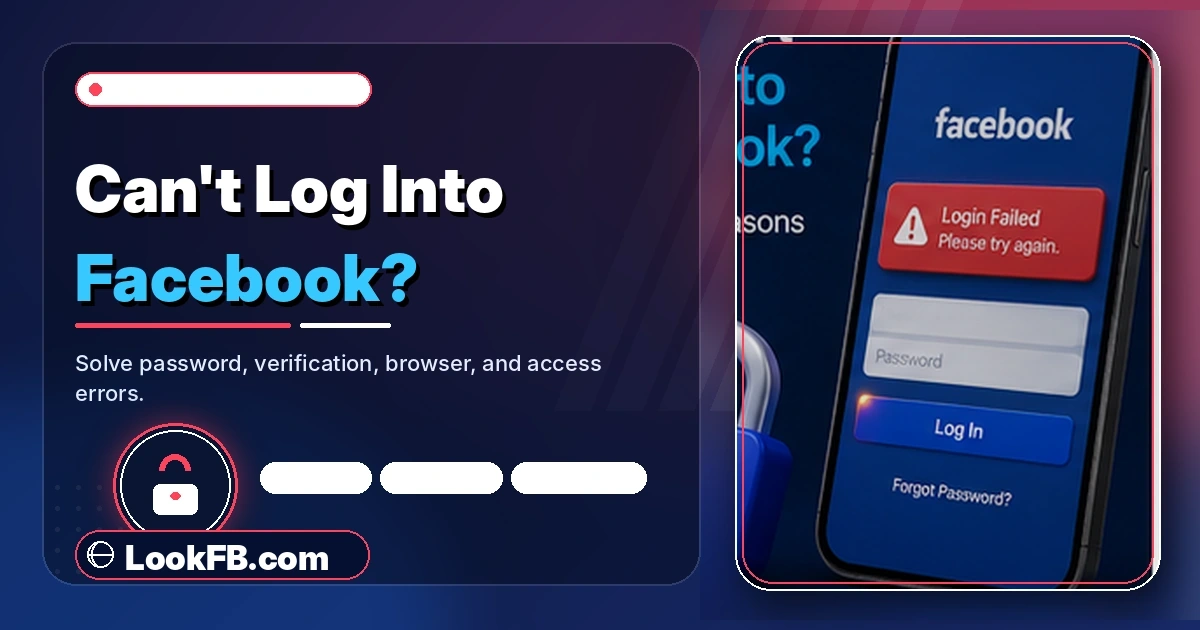
Why Can't I Log Into Facebook? 15 Fixes That Work (2026)
Can't log into Facebook? 15 fixes for wrong password, 2FA blocks, hacked accounts, disabled accounts and browser errors — the full 2026 recovery flow.
In this article
- Quick answer
- The account-recovery decision tree
- Fix 1: Recheck your credentials
- Fix 2: Reset your password
- Fix 3: Fix a 2FA lockout
- Fix 4: Recover a hacked account
- Fix 5: Restore a disabled account
- Fix 6: Clear browser cookies and extensions
- Fix 7: Fix the mobile app
- Fix 8: Check if Facebook is down
- Fix 9: Time-sync errors
- Fix 10: Turn off VPN and try again
- Fix 11: Corporate/school firewall
- Fix 12: Check email access
- Fix 13: Handle the "we don't recognize this device" screen
- Fix 14: Rate-limit cooldown
- Fix 15: Contact Meta (last resort)
- Common error messages decoded
- The bottom line
- Related guides
TL;DR: You can't log into Facebook because of one of six root causes: (1) wrong credentials, (2) a 2FA / verification-code failure, (3) a hacked or disabled account, (4) an app/browser cache glitch, (5) a Meta server outage, or (6) a network block. This guide walks the fastest recovery flow for each, and includes the account-recovery decision tree that no other source publishes.
Quick answer
| Symptom | Most likely cause | Fastest fix |
|---|---|---|
| "Wrong password" but you're sure it's right | Caps lock, autofill mismatch, or a real hack | Reset password at facebook.com/login/identify |
| "Enter code from your authenticator" — you can't | 2FA device lost/reset | Use recovery codes or trusted contacts |
| "Your account has been suspended/disabled" | Community Standards violation | Appeal via the on-screen prompt |
| "Try again later" for hours | Rate-limit or partial outage | Wait 30 min, try incognito |
| Login button does nothing | Browser cookies/extensions | Incognito window or clear cookies |
| App just spins | Cache corruption or outdated version | Clear cache + update the app |
The account-recovery decision tree
Before you try random fixes, answer this: what do you still have access to? The right recovery path depends entirely on that.
| You still have | Best recovery path |
|---|---|
| Correct password + email + phone | Just log in on a fresh browser (fix #1) |
| Password, but 2FA failing | Recovery codes → trusted contacts → SMS backup |
| Email, no password | facebook.com/login/identify → email code |
| Phone, no password | facebook.com/login/identify → SMS code |
| Nothing (locked out cold) | facebook.com/recover → answer identity questions → wait 3-14 days |
| An old device that was signed in | Facebook Recovery Hub from that device |
| Nothing but photo ID | Submit ID via facebook.com/help/contact/319547548123767 |
Pick the top-most row you can honestly answer yes to. That's your fastest route.
Fix 1: Recheck your credentials
The most common cause is boring:
- Caps lock is on.
- You have an extra space at the start or end (mobile autocomplete adds these).
- You're using a passkey from a different account (Chrome autofill mixes them up).
- Your Instagram password is different from your Facebook password.
Try one more time, slowly, without autofill.
Fix 2: Reset your password
If your password is genuinely wrong or forgotten:
- Go to facebook.com/login/identify.
- Enter your email address, phone number, username, or full name.
- Facebook shows matching account previews — pick yours.
- Choose recovery via email or SMS.
- Enter the 6-digit code.
- Set a new password.
The reset link is valid for 24 hours. Do not click reset links sent via email you didn't request — those are phishing.
Fix 3: Fix a 2FA lockout
If Facebook asks for a code from an authenticator app you no longer have:
- On the code screen, click Try another way.
- Try in this order:
- Recovery codes (10 codes Facebook told you to save when you set up 2FA — check your notes app).
- SMS — Facebook sends a code to your saved phone number.
- Trusted contacts — 3-5 friends you pre-selected. Facebook sends them one-time codes; get 3 codes and combine them.
- Photo ID — upload a government ID; wait 1-7 days.
- Once in, either re-add 2FA on your new device or turn it off temporarily and re-enable after fixing.
Fix 4: Recover a hacked account
Signs of a hack:
- Password suddenly doesn't work.
- You receive a "your email was changed" alert.
- Friends message you asking about weird posts.
Immediate action:
- Use a device you've previously logged in from.
- Go to facebook.com/hacked.
- Follow the Recovery Hub steps.
- Facebook helps you reset the password and revert email changes.
- Log out of all sessions once in: Settings → Password and Security → Where You're Logged In → Log Out of All.
- Enable 2FA immediately.
- Change your email password too — many hacks daisy-chain through email.
Fix 5: Restore a disabled account
If you see "your account has been disabled":
- Click the appeal link directly on the disable screen — that's the only channel Meta reads.
- Provide a photo ID.
- Wait 3-14 days for review.
- Do NOT create a second account — Meta detects and rejects appeals from users with duplicate accounts.
Common reasons Facebook disables accounts:
- Fake name / pseudonym.
- Buying/selling prohibited items.
- Reported for impersonation.
- Automated activity (bots or excess friending).
Fix 6: Clear browser cookies and extensions
If the login page loads but the login button does nothing:
- Open an incognito / private window and try there.
- If incognito works, your regular session's cookies are corrupt: clear Facebook cookies specifically.
- Turn off ad blockers, tracking blockers, and any Meta-related extensions.
- Try a different browser (Chrome, Firefox, Safari) as a diagnostic.
Fix 7: Fix the mobile app
App-side login failures:
- Force close and reopen.
- Update Facebook via App Store / Play Store.
- Clear cache (Android: Settings → Apps → Facebook → Storage → Clear Cache).
- Reinstall the app (iOS has no cache-clear).
- Reboot the phone.
Fix 8: Check if Facebook is down
Meta outages happen. Rule them out before assuming your account is broken:
- downdetector.com/status/facebook — spike above 500 = real outage.
- X/Twitter search for "Facebook down" — trending = outage.
- metastatus.com — official status.
If it's an outage, wait 1-6 hours.
Fix 9: Time-sync errors
Rare but real. If your computer's clock is off by more than 5 minutes, HTTPS certificates fail and Facebook login breaks.
- Enable automatic time sync in your OS settings.
- Manually correct the clock if needed.
Fix 10: Turn off VPN and try again
Facebook flags rapid country changes as suspicious. If your VPN switched countries recently:
- Disable VPN.
- Wait 5 minutes.
- Try logging in from a location Facebook associates with your account.
Fix 11: Corporate/school firewall
Some networks block Meta's authentication servers. Test:
- Switch to mobile data.
- If login works on mobile data, the network was the block. Speak to IT.
Fix 12: Check email access
If Facebook is sending codes to an old email you no longer control:
- facebook.com/settings → Personal and Account Information → Contact Info to change email.
- If locked out, use trusted contacts or photo-ID recovery.
Fix 13: Handle the "we don't recognize this device" screen
Facebook occasionally blocks logins from new devices as a security measure:
- Approve the login from a previously trusted device (Facebook sends a push notification).
- Enter the code sent to your email.
- Add the new device to your trusted list once inside.
Fix 14: Rate-limit cooldown
Five failed login attempts in a short window triggers a 30-minute soft lockout.
- Wait 30-60 minutes without any more attempts.
- Try once, correctly.
Fix 15: Contact Meta (last resort)
If nothing works, submit an ID appeal:
- facebook.com/help/contact/183000765122339 — for hacked accounts.
- facebook.com/help/contact/319547548123767 — for disabled accounts.
- Provide clear photo ID.
- Response time: 3-14 days.
Meta does not offer live chat or phone support for account recovery in 2026.
Common error messages decoded
| Error | Meaning | Fix |
|---|---|---|
| "Incorrect password" | Wrong password OR account was hacked | Fix 1 → Fix 2 → Fix 4 |
| "Wrong code" | 2FA code expired or wrong | Enter fresh code within 30 sec |
| "Your account has been disabled" | Meta suspended you | Fix 5 |
| "Enter code to continue" | 2FA required | Fix 3 |
| "We couldn't log you in — please try again" | Rate limit or server issue | Fix 14 or Fix 8 |
| "This browser or app may not be secure" | Old browser version | Update browser |
| "For your protection, verify it's you" | New-device check | Approve from trusted device |
The bottom line
- Diagnose the cause first — the decision tree above tells you which fix to try.
- Reset via facebook.com/login/identify for forgotten passwords.
- Recovery codes → trusted contacts → photo ID for 2FA lockouts.
- facebook.com/hacked for hacked accounts.
- Appeal via the on-screen link for disabled accounts — never make a second account.
- Turn on 2FA the moment you regain access — it prevents 99% of future issues.
Related guides
- How to know if someone blocked you on Facebook — because "can't log in" is sometimes just "can't see their profile."
- Is Facebook Messenger down — Messenger login failures use the same Meta auth system.
- How to permanently delete Facebook account — after recovery, if you decide to leave.
- How to stop Facebook notifications — reduce recovery-email noise.
- How do you sign out of Facebook Messenger — clean session for a fresh login.
Frequently asked questions
how do facebook accounts get hacked
The three biggest causes in 2026: (1) reused passwords leaked from another site's breach, (2) phishing links via Messenger or fake 'Facebook Support' pages, and (3) Session cookie theft via malicious browser extensions. Turn on 2FA, use a unique password, and never enter your Facebook password on any site that isn't facebook.com.
how facebook account hack
Most Facebook hacks happen through phishing (fake login pages sent as Messenger links) and credential stuffing (reusing a password leaked from another site). Enabling two-factor authentication blocks 99% of automated attacks. Use a password manager and never share verification codes.
how do i change my password on my facebook
Facebook → Settings & Privacy → Settings → Password and Security → Change Password. Enter your current password, then a new one twice, and Save. Your other active sessions get logged out. Choose a password that's unique to Facebook — a leaked password from any other site is enough to open your account to attackers.
how to change facebook password iphone
In the Facebook app: Menu → Settings & Privacy → Settings → Password and Security → Change Password. Enter current + new password, tap Save. This logs you out of every other session and requires the new password everywhere on next open.
how to change facebook password on app
Open the Facebook app → Menu → Settings & Privacy → Settings → Password and Security → Change Password. Enter your current password, then new password twice, tap Save. Every logged-in device signs out automatically for security.
how to change password on facebook on iphone
Facebook app on iPhone: Menu → Settings & Privacy → Settings → Password and Security → Change Password. Fill in current password, new password, confirm new password. Tap Save Changes. You'll be prompted to sign in again on every device.
how to find your facebook password
Facebook stores passwords hashed — no one, including Meta, can see your password. If you forgot it, the only route is a reset: go to facebook.com/login/identify, enter your email or phone, and reset via email/SMS code. Check your iOS Keychain, Chrome Password Manager, or 1Password/Bitwarden if you saved it there.
how to turn off two factor authentication facebook
Facebook → Settings & Privacy → Settings → Password and Security → Use Two-Factor Authentication → Turn Off. You'll need to enter a current 2FA code to disable it. Do not turn 2FA off unless you know what you're doing — it's the single biggest defense against account takeover.
how to delete facebook account without password
You can't delete an account without the password. If you can't remember it, first reset it via facebook.com/login/identify — Facebook sends a code to your email or phone. Once logged in, then delete via Accounts Center → Personal Details → Account Ownership and Control → Delete Account.
can you delete facebook and keep messenger
Only if you deactivate (not delete). Deactivation keeps Messenger active and hides your Facebook profile. Full account deletion also deletes Messenger. To deactivate: Accounts Center → Personal Details → Account Ownership and Control → Deactivation → Deactivate Account. You keep Messenger.
Written by Maria Chen, Privacy & Account Security Specialist