How to Know if Someone Blocked You on Facebook (2026 Guide)
8 clear signs someone blocked you on Facebook — profile disappears, messages fail, no search results. Full 2026 test for block vs deactivate vs restrict.
In this article
- The 8 clearest signs of a Facebook block
- Test 1: Search their exact name
- Test 2: Try their profile URL directly
- Test 3: Ask a mutual friend (the definitive test)
- Test 4: Check Messenger
- Test 5: Look at old tagged photos
- Test 6: Your friends list
- Test 7: Their comments and likes on your old posts
- Test 8: Shared groups
- Block vs deactivate vs disable vs unfriend — how to tell
- What restricted means (not a block, but limits you)
- What to do if someone blocked you
- Can you unblock yourself? (No.)
- The bottom line
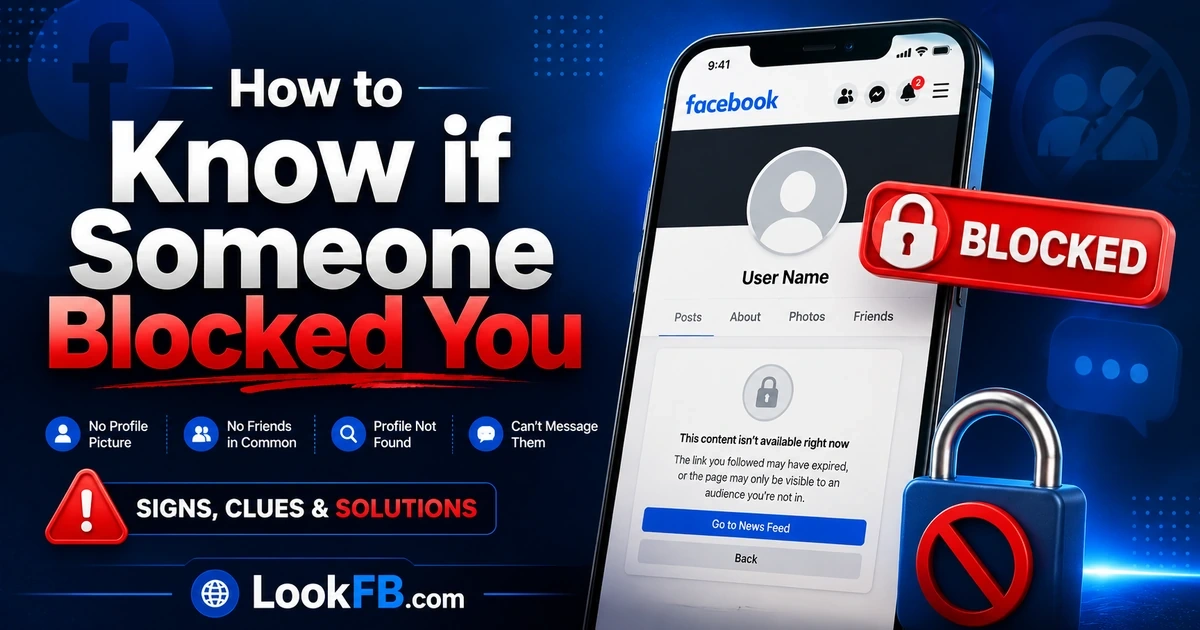
You searched a name and got nothing. Old messages show blank. Their profile URL loads a "Content Not Found" page. Almost every sign says the same thing — but Facebook never announces a block. This guide walks through 8 concrete tests to know for sure, plus how to tell a block apart from a deactivated account, a disabled account, or someone who just unfriended you.
The 8 clearest signs of a Facebook block
| Sign | What you see | Reliability |
|---|---|---|
| 1. Vanishes from search | Their name returns no result | High |
| 2. Profile URL fails | "Content Not Found" | High |
| 3. Mutual friend still sees them | You don't, they do | Definitive |
| 4. Messenger thread is grey | No picture, no name, can't send | High |
| 5. Tags show "Facebook User" | Their name un-links | Medium (also deactivated) |
| 6. Vanished from friends list | Gone with no notice | Medium |
| 7. Comments and likes gone | Their history disappears from your posts | High |
| 8. Group memberships hidden | You share a group but can't see their profile in it | High |
If 4 or more of these are true, you're blocked. If only 5-6-8 are true, the person may have deactivated.
Test 1: Search their exact name
- Open Facebook, tap the search bar.
- Type the person's full name.
Blocked → they don't appear. Not blocked → they appear as normal. Deactivated → they don't appear either (this is why search alone isn't proof).
Test 2: Try their profile URL directly
If you know their username (facebook.com/theirusername) or profile ID URL:
- Paste it into your browser while logged into Facebook.
Blocked → "Sorry, this content isn't available right now." Deactivated → same message. Still not conclusive alone.
Now log out. Paste the same URL. If the profile appears when logged out but not when logged in — you're blocked.
Test 3: Ask a mutual friend (the definitive test)
This is the only 100% test.
- Message a trusted mutual friend.
- Ask them to search the person's name and open their profile.
If your friend sees the profile normally: you're blocked. If your friend also can't find them: the person deactivated, was banned, or deleted their account. Not a block.
Nothing else beats this test.
Test 4: Check Messenger
Open an old conversation with the person.
- Their profile picture is a plain grey silhouette.
- Their name at the top of the chat says "Facebook User" or is blank.
- Trying to send a new message shows: "This person isn't available right now" or the send button greys out.
Note: Facebook blocking and Messenger blocking are separate settings. Someone can block you on Messenger but not on Facebook (or vice versa). You may be able to see their profile fine but not message them — that's a Messenger-only block.
Test 5: Look at old tagged photos
Open a photo you know they were tagged in.
- Tag now says "Facebook User" with no clickable link → blocked (or deactivated).
- Tag is still their name and clickable → not blocked.
Combine with Test 3 to rule out deactivation.
Test 6: Your friends list
If you were friends:
- Go to your friends list.
- Search for them there.
If they're gone with no notice, unfriending happened at minimum. Combined with search failure, it's almost certainly a block (blocking also unfriends automatically).
Test 7: Their comments and likes on your old posts
- Scroll to a post they interacted with.
- Their like, reaction or comment now shows as "Facebook User" or has vanished entirely.
Blocks retroactively hide their engagement with your content.
Test 8: Shared groups
If you and the person are in the same Facebook group:
- Open the group's Members list.
- Search for them there.
Blocked → their name shows "Facebook User" and their profile can't be opened from within the group. Not blocked → their name and profile work normally in the group.
Groups are one of the last places a blocked person is still visible in a limited form.
Block vs deactivate vs disable vs unfriend — how to tell
| Situation | Search finds them | Profile URL loads | Old messages show name | Mutual friend can see them |
|---|---|---|---|---|
| Blocked you | No | No | No (says "Facebook User") | Yes |
| Deactivated account | No | No | No | No |
| Disabled by Facebook | No | No | No | No |
| Deleted account | No | No | No | No |
| Just unfriended you | Yes | Yes | Yes | Yes |
| Restricted you | Yes | Yes | Yes | Yes (you see limited posts) |
Only a block produces the pattern where mutual friends see them fine but you can't find them.
What restricted means (not a block, but limits you)
Facebook's Restrict feature is subtler than a block. If someone restricted you:
- You still see their profile and old posts.
- You can still message them (but they may not see notifications).
- New posts they mark as friends-only are hidden from you.
Restricted feels like the person went quiet, not like they blocked you.
What to do if someone blocked you
- Don't create a second account to check. Facebook detects it and can suspend your main account.
- Don't ask them why through mutual friends. It usually accelerates a permanent block.
- Give it time. Blocks are frequently reversed within days or weeks.
- If it's about safety (harassment, stalking): a block from you toward them is stronger than the reverse. Consider blocking back if you regain access.
- Move on. Blocking is a boundary. Respect it.
Can you unblock yourself? (No.)
You cannot bypass or reverse a block from your own account. Only the person who blocked you can undo it.
- No app can unblock you.
- No "check who blocked me on Facebook" tool works. All of them are data-harvesters.
- Creating a fake account to see them is a Terms of Service violation.
The bottom line
- The mutual-friend test is the only definitive one. If your friend sees the profile and you don't, you're blocked.
- Search failure alone could be deactivation, not a block.
- Messenger blocks are separate from Facebook blocks.
- "Facebook User" appearing in tags/comments = block or deactivation — always confirm with the mutual friend test.
If someone in your life keeps blocking and unblocking you, tighten your side of the door too: our privacy settings guide walks through the specific settings that limit what a re-added contact can see about you.
Frequently asked questions
how to know if someone facebook blocked you
The three clearest signs: (1) their profile no longer appears when you search their name, (2) old conversations show 'Facebook User' instead of their name, and (3) their profile URL loads 'Content Not Found.' Confirm by asking a mutual friend to search them — if the friend sees the profile and you can't, you're blocked.
how to know if someone blocked you from facebook
Search their name — a blocked person won't appear in your results. Try their profile URL directly (facebook.com/theirusername) — a block loads 'Content Not Found.' The definitive test: ask a mutual friend to open the profile. If they can and you can't, it's a block, not a deactivation.
how to know if someone blocked you on facebook
Type their name in Facebook Search. If they don't appear and you know they used to, that's the first signal. Old tags on shared photos now show 'Facebook User.' Confirm with a mutual friend: if the friend still sees the profile normally, you're blocked.
how do you know if someone blocked you on facebook
Try three tests: search their name (blocked = doesn't appear), open their profile URL (blocked = Content Not Found), and check old tagged photos (blocked = 'Facebook User' instead of their name). Ask a mutual friend to search them — the mutual friend test is the only 100% test.
how to know if someone blocked you on facebook messenger
In an old Messenger thread with the person: their profile picture becomes a grey silhouette, their name changes to 'Facebook User,' and new messages fail with 'This person isn't available right now.' Facebook and Messenger blocks are separate — one can happen without the other.
how can you tell on facebook if someone blocked you
Search their name in Facebook and in Messenger. If they don't appear anywhere and you know they used to, combined with 'Facebook User' showing up in place of their name in old comments and photo tags, you're almost certainly blocked. Confirm with a mutual-friend check.
how can you tell if someone blocked you on facebook
The block signs are: no search results for their name, 'Content Not Found' on their profile URL, 'Facebook User' in place of their name in old threads, and their comments/likes vanished from your posts. Ask a mutual friend to search them — that's the only definitive test.
how to know if someone is blocking you on facebook
Open their profile URL directly. If it loads 'Content Not Found' while logged in, log out and try again — if the profile appears when logged out but not when logged in, that's a block. Alternatively, ask a mutual friend to search for them: if they see it, you're blocked.
how to know someone blocked you on facebook
Search their name, check old tagged photos (blocked shows 'Facebook User'), try to open Messenger with them (blocked can't send). If all three fail, ask a mutual friend to search — if the friend finds the profile fine, you're blocked, not deactivated.
how to mute someone on facebook
Muting on Facebook is called Unfollow or Snooze. Go to the person's profile → Friends button → Unfollow: you stay friends but their posts stop appearing in your Feed. For 30-day mute: on any post → three-dot menu → Snooze for 30 days.
Written by Maria Chen, Privacy & Account Security Specialist