How to Change Name on Facebook (2026 Guide + Rejection Fixes)
Change your name on Facebook in 2026 — mobile, desktop, business page. 60-day lock rule, why Facebook rejects legitimate names, and how to appeal successfully.
In this article
- Quick answer
- Change your name on the Facebook mobile app
- Change your name on desktop
- The 60-day lock rule
- Facebook's name standards (why names get rejected)
- Why legitimate names get rejected — and how to appeal
- How to appeal a name rejection
- If the appeal is denied
- What you can change without the 60-day lock
- Change your Facebook Page name (business/creator page)
- Change your Facebook Group name
- Change your Facebook username (@handle)
- Change your name after marriage (or divorce)
- What happens after your name changes
- The bottom line
- Related guides
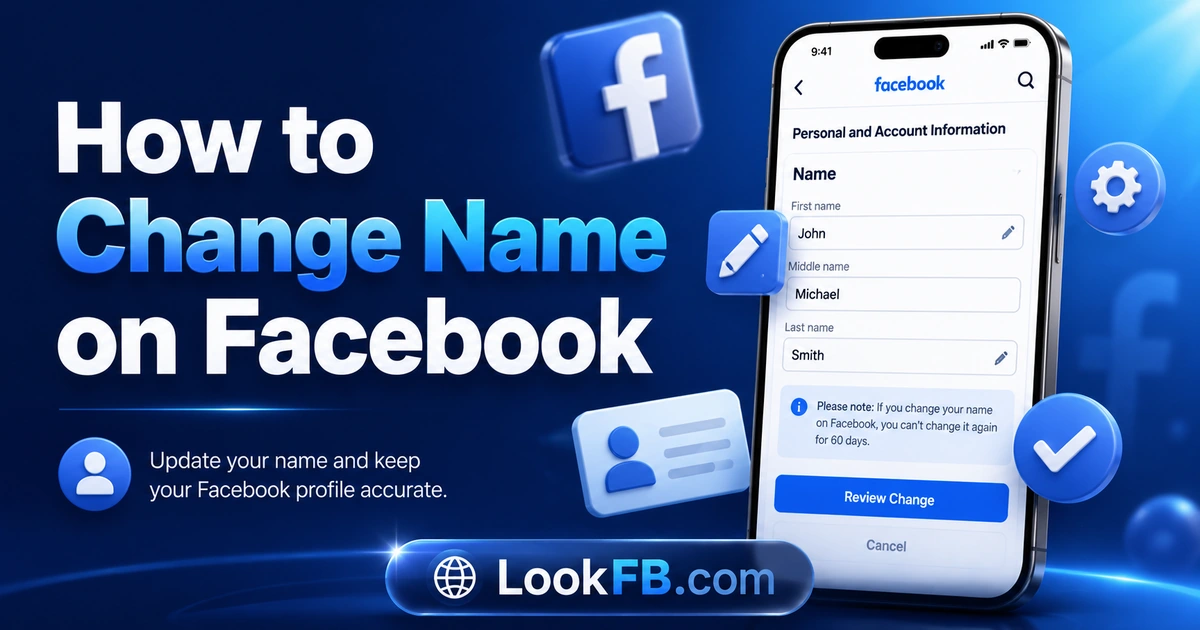
TL;DR: To change your name on Facebook in 2026, go to Settings → Accounts Center → Profiles → your profile → Name, enter the new name, Review Change, then Save. There's a 60-day lock after each change. Facebook rejects names that use unusual capitalization, numbers-as-letters, symbols, or that appear fake — the appeal walkthrough for legitimate rejections is at the bottom of this guide.
Quick answer
| Step | Action |
|---|---|
| 1 | Facebook → Menu → Settings & Privacy → Settings |
| 2 | Tap the Accounts Center banner at the top |
| 3 | Tap Profiles → select your Facebook profile |
| 4 | Tap Name |
| 5 | Enter first / middle / last → Review Change |
| 6 | Choose how the name displays → Save Changes |
Takes 60 seconds. New name is live immediately for minor changes; up to 3 days for major changes.
Change your name on the Facebook mobile app
- Open the Facebook app.
- Tap the Menu icon (three lines or your profile picture).
- Scroll down and tap Settings & Privacy → Settings.
- Tap the Accounts Center banner at the top of the screen.
- Tap Profiles, then select your Facebook account.
- Tap Name.
- Enter your new first, middle, or last name.
- Tap Review Change.
- Select how you want your name to display and tap Save Changes.
Change your name on desktop
- Go to facebook.com and log in.
- Click your profile picture (top-right).
- Click Settings & Privacy → Settings.
- Click Accounts Center in the left sidebar.
- Click Profiles → choose your Facebook profile.
- Click Name.
- Update first / middle / last → Review Change.
- Enter your password if prompted → Save Changes.
The 60-day lock rule
Once you save a name change on your personal profile, Facebook locks it for 60 days.
- No exceptions for typos.
- No exceptions for legal changes.
- No exceptions for reverting to old name.
- Meta Verified users get no faster turnaround on this lock.
Check spelling before you save. This is the single biggest mistake people make.
Facebook's name standards (why names get rejected)
Facebook requires:
- The name you go by in everyday life.
- Standard capitalization (not ALL CAPS or lowercase throughout).
- No numbers or symbols in place of letters (no "B3ll4," no "María★").
- No unusual punctuation (single apostrophes and hyphens OK; multiple exclamation marks not OK).
- No titles like Dr., Mr., Ms., Sir — put them in a nickname field instead.
- No professional roles ("Coach," "Photographer," etc.) as part of the name.
- No offensive words or slurs.
- No references to Meta or Facebook itself.
- No fictional characters or celebrity impersonation.
- No repeated characters ("Jaaaane").
Why legitimate names get rejected — and how to appeal
This is the gap every other article skips. Facebook's automated name filter rejects real names all the time, especially:
- Māori names with macrons (Māori, Māhia).
- Names with apostrophes (O'Brien, D'Angelo).
- Names with hyphens (Anne-Marie, Jean-Luc).
- Single-word names (some Indonesian and Icelandic names).
- Chinese, Arabic, Cyrillic, Devanagari scripts — sometimes flagged even when valid.
- Names in ALL CAPS in cultures where that's standard (Japanese given-family conventions).
- Long compound surnames (Spanish/Portuguese two-part names).
How to appeal a name rejection
- When Facebook denies the change, you'll see a "Confirm Your Identity" or "We can't verify this change" message.
- Click the appeal link (or Help Us Confirm Your Name).
- Upload a government-issued photo ID that shows your legal name — passport, driver's license, national ID, or two forms of secondary ID (utility bill + student card, etc.).
- Include a short note: "This is my legal name as shown on the attached ID. Please review manually."
- Wait 1-7 business days.
- Facebook approves it if the ID matches the requested name.
If the appeal is denied
- Try again with a different form of ID.
- Try a slightly modified spelling (e.g., add a middle name to break the automated match).
- Contact Meta via facebook.com/help/contact/1417759018475333 for name-review escalation.
What you can change without the 60-day lock
Some name modifications don't count as a "name change" and skip the lock:
- Adding a nickname — Menu → Personal Details → Add nickname. Displays in parentheses next to your real name.
- Changing your alternate name — Menu → Personal Details → Add alternate name (maiden name, married name, professional pseudonym).
- Changing your username — separate from name. Menu → Accounts Center → Profiles → Username. Change once every 14 days.
The 60-day lock only applies to your primary display name.
Change your Facebook Page name (business/creator page)
This is a different flow entirely.
- Business page → About → click the name → Review Change → Request Change.
- Meta reviews: minor changes in minutes, major rebrands in 1-3 business days.
- Business page names change once every 7 days (not 60).
Full walkthrough: How to change Facebook business page name.
Change your Facebook Group name
If you're a group admin:
- Open the group.
- Tap the three-dot menu → Edit Group Settings (or Manage Group → Settings).
- Tap Name → enter new name → Save.
No lock. Instant effect. A system notification announces the change to members.
Change your Facebook username (@handle)
Your username is what appears in your profile URL (facebook.com/yourhandle). It's different from your display name.
- Menu → Settings → Accounts Center → Profiles → your profile.
- Tap Username.
- Enter a new username: 5+ characters, letters/numbers/periods only, must be unique.
- Save.
Change frequency: once every 14 days.
Change your name after marriage (or divorce)
- Same flow as any other name change (60-day lock applies).
- Attach photo ID if Facebook denies the change (marriage certificate + old ID showing the maiden name is often accepted).
- Update your alternate name field with your maiden name so old friends can still find you.
- Change your username too if it included your old name.
What happens after your name changes
- Old posts and comments update to show your new name automatically.
- Old tags in photos update.
- Your @handle URL does NOT change unless you update the username separately.
- Old shares and quotes across the web retain the old name — Facebook doesn't rewrite external content.
- Friends see a notification in their Feed announcing your name change (this can be turned off).
- Ad account tied to the old name does NOT rename automatically.
The bottom line
- Settings → Accounts Center → Profiles → Name — the universal path on mobile and desktop.
- 60-day lock after each personal-profile name change.
- Meta rejects names that break capitalization, symbol, character, or authenticity rules.
- Photo ID appeal works for legitimately rejected ethnic, cultural, or unusual names.
- Username, business page, and group name each follow separate rules — see the relevant sections above.
Related guides
- How to change Facebook business page name — different flow, different lock.
- How to permanently delete Facebook account — if the rebrand is bigger than a rename.
- How to make Facebook private — pair a name change with a privacy tightening.
- How to lock Facebook profile — new name + locked profile is a common combo.
- Why can't I log into Facebook — because password changes often happen alongside name changes.
Frequently asked questions
how to change facebook business page name
Open your business page → About → click your current page name → enter the new name → Review Change → Request Change. Facebook reviews name changes for up to 3 business days before applying them. Full walkthrough in our business page rename guide.
how to change my facebook page name
Page → About → click Name → type new name → Review Change → Request Change. For your personal profile: Menu → Settings → Accounts Center → Profiles → your profile → Name → new name → Review Change → Save. Personal profile names lock for 60 days after each change.
how do i change the name of a facebook group
You must be a group admin. Open the group → three-dot menu (or ⋯ at top) → Edit Group Settings → Name → enter the new name → Save. All members see the new name immediately. There's no 60-day lock on group names.
how do i change a facebook group name
As group admin: open the group → three-dot menu → Manage Group → Settings → Name → edit and Save. If you don't see Manage Group, you're not an admin — ask an existing admin to change it or promote you to admin first.
how do i change a group name on facebook
Open the group as an admin → tap Manage → Settings → Group Name → tap the name field → type the new name → Save. Members are notified of the change via a group activity post.
how do you change a group name on facebook
Admin only. Open the group → Manage or Admin Tools → Settings → Group Name → edit → Save. On desktop the path is: group → Settings (left sidebar) → General → Group Name → Edit → Save.
how to change the group name in facebook
Group admin opens the group → Manage Group (or three-dot menu → Edit Group Settings) → Name field → edit → Save Changes. The name updates for all members immediately; Facebook posts a system notification in the group announcing the change.
how to change your name on your facebook page
For a business page: About → click page name → enter new name → Review Change → Request Change (Meta review takes up to 3 days). For your personal profile page: Menu → Settings → Accounts Center → Profiles → Name → new name → Review Change → Save (60-day lock applies).
how to change username for facebook
Menu → Settings → Accounts Center → Profiles → your profile → Username → enter new username (5+ characters, letters/numbers/periods only, unique) → Save. Changing username is separate from changing your display name — both can be different.
how do you find out your facebook username
Your Facebook username appears in your profile URL after facebook.com/. To view or edit it: Menu → Settings & Privacy → Settings → Accounts Center → Profiles → your profile → Username. If it's blank, Facebook uses your numeric profile ID as the URL instead of a custom @handle.
Written by Aisha Bello, Consumer Technology Writer