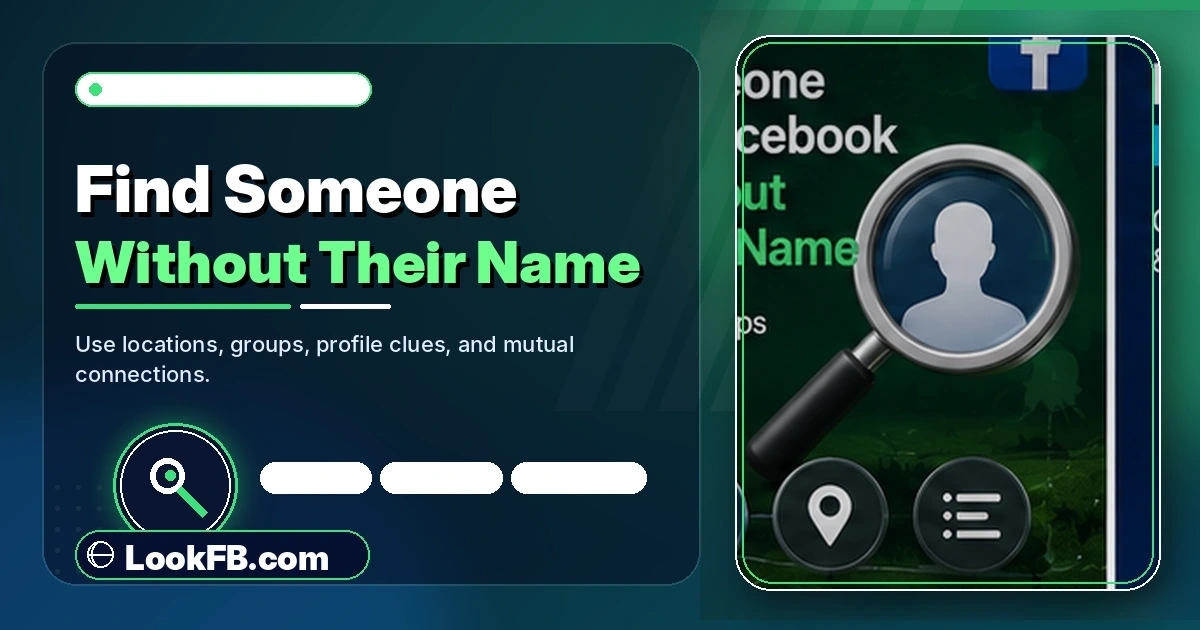
How to Find Someone on Facebook Without Their Name (2026)
Find someone on Facebook without their name — by phone number, email, mutual friends, photo, workplace or username. 7 methods that actually work in 2026.
In this article
- Quick answer
- Method 1: Search by phone number
- Method 2: Search by email address
- Method 3: Guess their profile URL from another social handle
- Method 4: Search by location + workplace + school
- Method 5: Mutual friends
- Method 6: Reverse image search with a photo
- Method 7: People You May Know
- The Meta Account Center backdoor
- Why phone lookup fails in 2026 for most accounts
- What NOT to try
- Ethics — a note
- The bottom line
- Related guides
TL;DR: You can find someone on Facebook without their name using their phone number, email, mutual friends, workplace/school, reverse image search, or the exact URL if you know their username. The seven methods below cover every angle Google's AI Overview mentions, plus the one method it misses.
Quick answer
| What you know about them | Best method |
|---|---|
| Phone number | Type it into Facebook search with country code |
| Email address | Type it into Facebook search |
| A photo | Google Images reverse search |
| Their username on any other social | Try facebook.com/theirusername |
| Where they live/work/study | Search the location or workplace page |
| A mutual friend | Browse the mutual friend's Friends tab |
| Almost nothing | Photo + AI face-recognition services |
Method 1: Search by phone number
Fastest and highest hit-rate when it works.
- Open Facebook.
- In the search bar, type the number with country code and no spaces:
+15551234567. - Press search.
If the person linked that number to their Facebook account AND allowed phone-based lookup, their profile appears at the top of the results.
When it fails:
- Accounts created after 2022 have phone lookup off by default.
- Locked profiles never appear in phone search.
- The number was linked to an Instagram or WhatsApp account but not Facebook.
The recovery-page trick: if direct search fails, go to facebook.com/login/identify and enter the same number. Facebook may display a partial name and profile picture to confirm account ownership — even when regular search hides it.
Method 2: Search by email address
Same principle, different field.
- In the Facebook search bar, type the full email address.
- Press search.
If the person linked that email and allowed email-based lookup, their profile appears. Success rate is lower than phone (fewer people expose email publicly), but worth trying.
Method 3: Guess their profile URL from another social handle
The method Google AI Mode doesn't mention — often the fastest.
Many people reuse the same @handle across:
- Threads
- TikTok
- X / Twitter
Try facebook.com/theirhandle in a browser. If they used that same username on Facebook, you land on their profile immediately.
Example: if their Instagram is @jane_baker_92, try facebook.com/jane.baker.92 or facebook.com/jane_baker_92. Facebook usernames use dots, so try common variations.
Method 4: Search by location + workplace + school
If you know where you met them:
- Search the city page → browse Members or Recent Photos.
- Search the workplace page → check the People tab.
- Search the school page → check Classmates.
- Look at check-ins at the specific venue you were both at.
Slow but reliable for finding someone from an in-person meeting.
Method 5: Mutual friends
If a friend of yours knows them:
- Open your mutual friend's profile.
- Click Friends.
- Browse the list.
- Facebook shows mutual friends first — often visible even on private profiles.
Combine with photo recognition: scroll their friends' recent Tagged photos and you'll often spot the person.
Method 6: Reverse image search with a photo
You have a photo but no name.
Google Images:
- Go to images.google.com.
- Click the camera icon.
- Upload the photo.
- Google returns pages where that image appears — Facebook profiles included if the profile is Public and the image is indexed.
Yandex Images:
- Better at face-based matching than Google in 2026.
- yandex.com/images → upload → results.
Face-recognition services (PimEyes, FaceCheck.ID):
- Actively search the web for the same face, not just the same image.
- Usually paid ($15-30/mo).
- Ethical concern: these tools are stalker-adjacent. Use responsibly.
Method 7: People You May Know
Facebook's algorithm often knows the person before you do.
- Menu → Friends → See All People You May Know.
- Scroll — Facebook surfaces people who share your location history, contacts, mutual friends and networks.
- If you shared contact upload or location data with the person before, they may appear here.
This works especially well right after you've met someone in person — Facebook's location matching flags nearby recent contacts.
The Meta Account Center backdoor
Since Meta linked Facebook, Instagram, WhatsApp and Threads under one Account Center:
- If you know the person's Instagram → click their Instagram profile → three-dot menu → About This Account → check for linked Facebook.
- If linked, you can navigate to their Facebook without knowing their name.
- Works only if the person linked their accounts publicly — most don't.
Why phone lookup fails in 2026 for most accounts
In 2022, Meta changed the phone-lookup default from On to Off for new accounts. Older accounts kept their old setting unless the user changed it.
- Post-2022 accounts: phone lookup off by default → not findable by number.
- Pre-2022 accounts: phone lookup on unless changed → findable by number.
- GDPR-region accounts (EU/UK): even stricter — phone lookup is off by policy.
If the person you're searching is Gen Z or an EU resident, phone search is unlikely to work.
What NOT to try
- "People finder" websites promising to reveal any Facebook profile — most are ad-farms with no real data.
- "Facebook hidden profile viewer" browser extensions — 90% are credential harvesters.
- Buying a "Facebook search" service — the paid features rarely work beyond what free search offers.
Stick with the seven methods above.
Ethics — a note
Some of these methods (reverse image search, phone lookup) can enable stalking. If the person you're searching:
- Explicitly rejected your contact — respect it. Don't hunt them across the internet.
- Is under 18 — don't use face-recognition services on minors.
- Blocked you on Facebook — searching for their new profile can be treated as harassment.
Search responsibly.
The bottom line
- Phone number is the fastest method when the person has lookup enabled.
- URL guessing using their handle from another social is the AI-Mode-missed shortcut.
- Reverse image search works when you only have a photo.
- People You May Know often surfaces the person before you have to search at all.
- Post-2022 accounts and EU accounts have phone lookup disabled — expect lower success there.
Related guides
- How to know if someone blocked you on Facebook — because a locked/blocked profile won't appear in any search.
- How to see who unfriended you on Facebook — same data-export technique used here.
- Facebook privacy settings guide — how to control YOUR own findability.
- How to see hidden friends on Facebook — related discovery methods.
- Facebook story viewer — who watched you is another discovery angle.
Frequently asked questions
can you search facebook by phone number
Yes — type the phone number directly into the Facebook search bar (with country code, e.g., +1 555 123 4567). If the person linked that number to their account AND allowed phone-number lookup in their privacy settings, their profile appears. Accounts created after 2022 have this off by default.
can you look up a facebook by phone number
Yes if the account has phone-lookup enabled. Enter the number with country code (+1, +44, +91) in Facebook's main search bar. If nothing appears, try the Facebook password-reset page and enter the same number — the account preview may reveal a name and photo.
can you look up people on facebook by phone number
You can, but success depends on the person's privacy settings. Enter the number in the top search bar with country code. If that fails, use Facebook's Find Your Account page (facebook.com/login/identify) — enter the same number; if an account exists, it displays the user's photo and first name.
can you search for someone by phone number on facebook
Yes. Facebook's main search bar accepts phone numbers as queries. Format: +[country code][number] with no spaces or dashes. If the search returns nothing, the person either hasn't linked that phone number, has phone-lookup disabled, or has a locked profile.
can you search someone by phone number on facebook
Yes, subject to their privacy settings. In the Facebook search bar, enter the full phone number including country code. As of 2026, phone lookup is off by default for new accounts — old accounts still allow it unless the user changed the setting.
can you search facebook with phone numbers
Yes. Facebook's search accepts phone numbers as a valid query type. Format with country code and no separators. Results depend on the user allowing phone-based lookup in Settings → Privacy → How People Find and Contact You → Who can look you up using the phone number you provided.
how do i search phone numbers on facebook
Open Facebook → tap the search icon at the top → type the phone number with country code (+1, +44, +61, etc.) → search. If the number is tied to a profile with phone lookup enabled, that profile appears in the results. Otherwise, no result appears.
how do you lookup a phone number on facebook
Enter the phone number in Facebook's main search bar with country code (+1 for US, +44 for UK, etc.). If Facebook finds an account tied to that number with lookup enabled, the profile appears. Otherwise, try the Find Your Account page — sometimes an account preview appears there when search fails.
how do you search a phone number on facebook
Type the number directly into the Facebook search bar at the top of the app or facebook.com. Include the country code. Facebook returns any account that (a) has that number saved and (b) has phone lookup allowed in privacy settings. Locked profiles never appear via phone search.
how to find someone's email on facebook
Facebook does not display email addresses publicly. If you're already friends with someone, their email may show under their About → Contact Info if they chose to display it. For non-friends, you cannot find their email through Facebook — that data is private by default in 2026.
Written by Aisha Bello, Consumer Technology Writer