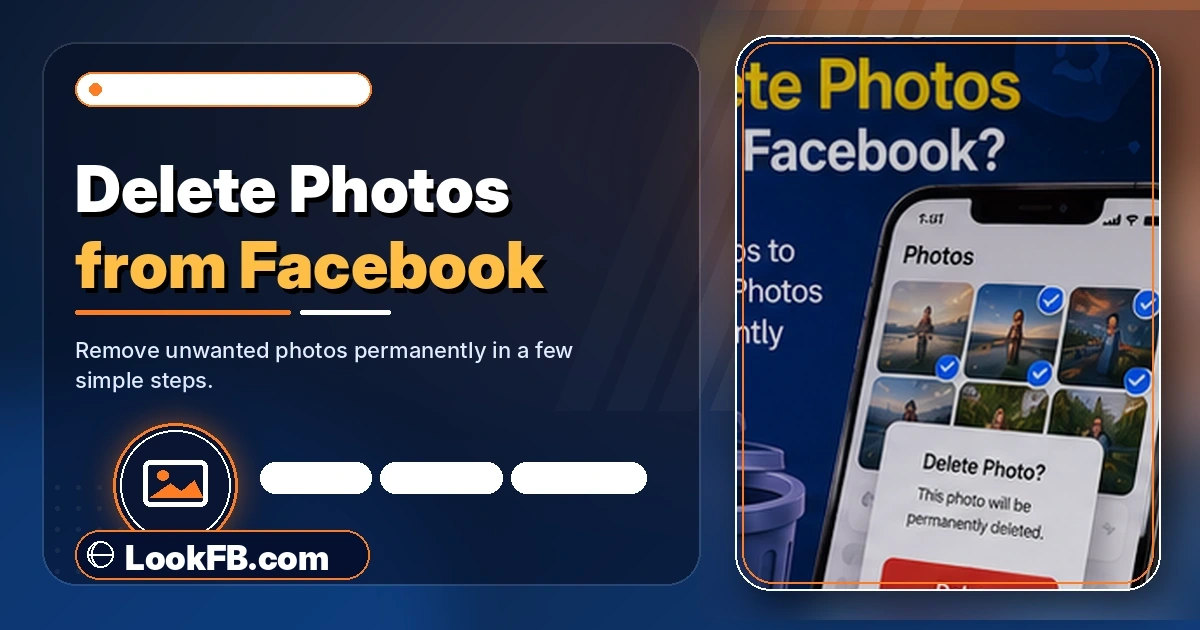
How Can You Delete Photos from Facebook? (Full 2026 Guide)
Delete single or bulk photos from Facebook on iPhone, Android, desktop. Delete albums, cover photos, tagged photos, and photos of you uploaded by others in 2026.
In this article
- Quick answer
- Delete a single photo on iPhone / Android
- Delete a single photo on desktop
- Delete an entire album
- Delete your profile picture (the right way)
- Delete your cover photo (the right way)
- Bulk delete Facebook photos — the actual workflow
- Remove a photo of you that someone else uploaded
- Delete photos from your Trash (immediate purge)
- Delete photos from Archive
- Delete Story photos
- When "Delete Photo" is missing from the menu
- Delete photos before deactivating your account
- The bottom line
- Related guides
TL;DR: Every photo on Facebook is deletable via the same three-tap flow: open the photo → three-dot menu → Delete Photo → Confirm. Deleted photos go to a Trash folder for 30 days before permanent removal. This guide covers single-photo delete, whole-album delete, cover/profile photo delete, tagged photo removal, and the bulk-delete workaround for people who want to clear their entire Facebook photo history.
Quick answer
| Situation | Fastest method |
|---|---|
| One photo | Open → three-dot menu → Delete Photo |
| Whole album | Photos → Albums → open → menu → Delete Album |
| Profile picture | Change to new pic, then delete old from Profile Pictures album |
| Cover photo | Remove cover, then delete file from Cover Photos album |
| Tagged photo (someone else uploaded) | Menu → Remove Tag (you can't delete their photo) |
| All photos (bulk) | Activity Log → Photos filter → delete one-by-one |
Delete a single photo on iPhone / Android
- Open the Facebook app.
- Navigate to the photo — via your profile, or someone's post that has the photo.
- Tap the photo to open it full-screen.
- Tap the three-dot menu (top-right).
- Tap Delete Photo.
- Confirm Delete.
The photo disappears immediately from your timeline. It sits in Trash for 30 days.
Delete a single photo on desktop
- Go to facebook.com → your profile → Photos.
- Click the photo to open it full-screen.
- Hover over the photo → click the ⋯ menu (top-right) or click Options at the bottom of the modal.
- Click Delete Photo.
- Confirm.
Delete an entire album
Whole-album delete is the fastest bulk option.
- Facebook → your profile → Photos → Albums.
- Tap or click the album you want gone.
- Tap the three-dot menu.
- Tap Delete Album.
- Confirm.
Exceptions: you can't delete the Profile Pictures or Cover Photos or Timeline Photos albums as albums — those are system albums. You can only delete individual photos inside them.
Delete your profile picture (the right way)
Deleting your current profile picture would leave you photo-less. Facebook won't let that happen — you have to switch first.
- Tap your profile picture → Update Profile Picture → choose a new image or use a placeholder.
- Save.
- Go to Photos → Albums → Profile Pictures.
- Tap the old photo → three-dot menu → Delete Photo.
- Confirm.
Delete your cover photo (the right way)
Same principle — remove the cover from display first, then delete the file.
- Profile → hover/tap the cover → camera icon → Remove.
- Go to Photos → Albums → Cover Photos.
- Tap the old cover → three-dot menu → Delete Photo.
- Confirm.
Full walkthrough for cover-related changes in our blackout cover photo guide.
Bulk delete Facebook photos — the actual workflow
Facebook has no one-click "delete all photos" button. Here's the fastest legitimate workflow:
- Facebook → Settings & Privacy → Activity Log.
- Filter by Photos and Videos (or Your Posts → Photos).
- This shows every photo you've uploaded, in reverse-chronological order.
- For each: tap the photo → three-dot menu → Delete Photo.
- Do this in batches — Activity Log paginates fast.
Album shortcut: if most of your photos are in a handful of albums, delete the albums first (whole-album delete). Then Activity Log to mop up strays.
Remove a photo of you that someone else uploaded
You can't delete a photo someone else posted. You can:
- Remove the tag — three-dot menu on the photo → Remove Tag. The photo stays, but you're no longer tagged.
- Request removal — three-dot menu → Report → I don't want this photo on Facebook → choose reason → submit.
- Facebook may or may not remove it; the uploader gets a request from Facebook.
- Block the uploader — hides all their content from you but doesn't remove the photo.
For photos of you that violate privacy (revenge porn, doxxing), use Report → Nudity or Sexual Activity or Report → Violates Community Standards — Facebook processes these faster.
Delete photos from your Trash (immediate purge)
Deleted photos stay in Trash for 30 days by default. To purge immediately:
- Settings & Privacy → Activity Log → Trash.
- Tap Delete All or delete individual items → Delete Forever.
Once deleted from Trash, photos are unrecoverable.
Delete photos from Archive
Facebook also has an Archive — content you've hidden from your timeline but haven't deleted.
- Activity Log → Archive.
- Choose photos to move to Trash → then delete permanently as above.
Archived photos are still on Facebook's servers. Only Trash → Delete Forever removes them.
Delete Story photos
Facebook Stories expire after 24 hours automatically, but you can delete sooner:
- Open your story → tap the three-dot menu at the top → Delete Story.
- Confirm.
Story archives (if you saved them) live in Menu → Story Archive → delete individually.
When "Delete Photo" is missing from the menu
Possible causes:
- You didn't upload it — you're viewing someone else's photo. Use Remove Tag or Report instead.
- System album — Profile Pictures / Cover Photos require display-swap first.
- Cached view — force-close the Facebook app and reopen.
- Business page context — switch to your personal profile view; some Page settings hide personal delete options.
Delete photos before deactivating your account
If you're planning to deactivate but want your photos gone first:
- Deactivation doesn't delete photos — it hides them.
- Full account deletion removes photos, but takes 30 days.
- To delete photos and keep the account: use Activity Log → Photos → delete each.
- To delete photos and the account: request a data download first (Settings → Your Facebook Information → Download Your Information), then delete the account.
The bottom line
- Three-dot menu → Delete Photo is the universal action on every device.
- Whole-album delete is the fastest bulk method for photos in albums.
- Profile and cover photos require a display-swap first before the file can be deleted.
- Facebook keeps deleted photos in Trash for 30 days — empty Trash to purge immediately.
- Photos of you that someone else uploaded can be untagged or reported, but not deleted directly.
Related guides
- Blackout Facebook cover photo — cover-specific removal and replacement.
- How to know if someone blocked you on Facebook — blocked profiles hide their photos from you.
- How to stop Facebook notifications — silence photo-tag notifications too.
- How to make a post shareable on Facebook — audience settings affect who sees your photos.
- Facebook story viewer — Story photos have their own deletion rules.
Frequently asked questions
how do you delete pics from facebook
Open the photo → tap the three-dot menu (top-right) → Delete Photo → Confirm. Deleted photos sit in your Trash for 30 days before permanent removal. To purge immediately: Settings & Privacy → Activity Log → Trash → Empty Trash.
how i delete photos from facebook
Tap the photo you want gone → three-dot menu → Delete Photo → Confirm. For your profile or cover photo, first change it to a different image, then delete the old one from your Profile Pictures or Cover Photos album.
how to delete photos from facebook
Open the photo → three-dot menu (or ⋯) → Delete Photo → Confirm. On desktop: click Options at the bottom of the photo → Delete Photo. Removed photos go to Trash for 30 days; empty Trash from Activity Log → Trash to delete immediately.
how to delete all photos from facebook
Facebook has no true bulk-delete for all photos. Workaround: Settings & Privacy → Activity Log → Filter by Photos and Videos → tap each photo → three-dot menu → Delete. For a nuclear option, request a data download first, then deactivate/delete your account entirely.
how do you delete all photos on facebook
There's no single bulk-delete button. Fastest path: Activity Log → filter Photos → delete individually. To delete an entire album at once: Photos → Albums → open album → three-dot menu → Delete Album. This removes every photo in that album except profile/cover photos.
how to know if someone blocked you from facebook
Search their name — if they don't appear and mutual friends still see them, you're blocked. Their profile URL loads 'Content Not Found,' old tagged photos show 'Facebook User,' and Messenger sends fail. The mutual-friend test is the definitive check.
how can i delete a photo from facebook
Open the photo → three-dot menu → Delete Photo → Confirm. If it's a profile or cover photo, remove it from display first (change your profile/cover to a different image), then delete the file from your Profile Pictures or Cover Photos album.
how do you delete facebook pictures
Tap the photo → three-dot menu → Delete Photo → Confirm. Bulk: use Activity Log → filter by Photos → delete each. Whole album: Photos → Albums → open album → three-dot menu → Delete Album. Deleted photos remain in Trash for 30 days.
how do you delete pics on facebook
Open the photo → tap the three-dot menu → Delete Photo → Confirm. Facebook keeps deleted photos in a Trash folder for 30 days before permanent removal. Empty Trash immediately from Settings & Privacy → Activity Log → Trash.
how can i delete a picture from facebook
Tap the picture → three-dot menu → Delete Photo → Confirm. For profile or cover photos, you must first change them to a new image, then delete the old file from Photos → Albums → Profile Pictures / Cover Photos.
Written by Maria Chen, Privacy & Account Security Specialist