How to Delete a Facebook Page (2026 Guide + Data Preservation)
Delete your Facebook Page in 2026 — mobile, desktop, Business Manager. 30-day grace period, deactivate vs delete, and how to save your data first.
In this article
- Quick answer
- Deactivate vs Delete — which do you want?
- Delete a Facebook Page on mobile (iPhone / Android)
- Step 1 — Switch to your Page profile
- Step 2 — Open Page settings
- Step 3 — Access and Control
- Step 4 — Delete
- Delete a Facebook Page on desktop
- Step 1 — Switch to Page profile
- Step 2 — Settings
- Step 3 — Access and Control
- Step 4 — Delete
- Deactivate instead (reversible)
- Delete a Business Manager Page
- Before you delete — the checklist
- What happens during the 30-day grace period
- What happens after 30 days
- Common Page deletion problems
- Remove yourself as admin without deleting the Page
- Delete a Community Page (auto-generated)
- Delete a Marketplace listing on a Page (not the whole Page)
- Reactivate a deleted Page (within 30 days)
- The bottom line
- Related guides
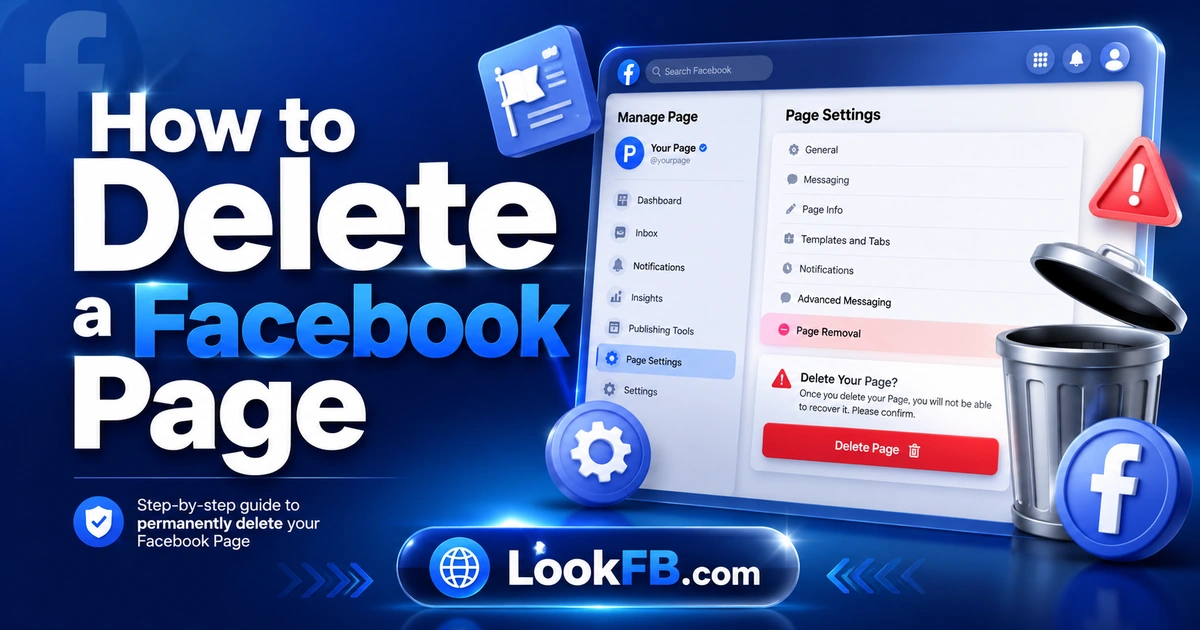
TL;DR: To delete a Facebook Page in 2026, you must be a full-control admin. Go to your Page → Settings → Access and Control → Deactivation and Deletion → Delete Page, enter your personal account password, and confirm. 30-day grace period — logging into the Page cancels the deletion. Consider Deactivate Page instead if you might return. This guide covers mobile, desktop, and the Business Manager flow.
Quick answer
| Situation | Path |
|---|---|
| Delete a Page you own | Page Settings → Access and Control → Delete Page |
| Reversible pause | Deactivate Page — same menu, different button |
| Delete a Page you don't own | Impossible — you must be a full admin |
| Delete a Page tied to a deleted personal account | Not possible — the personal account is required |
| Delete a Business Manager Page | business.facebook.com → Business Settings → Pages → Remove |
Deactivate vs Delete — which do you want?
Deactivation = hide the Page publicly, keep all data. Reversible any time.
Deletion = permanent after 30 days. All Page data, followers, posts, reviews, insights: gone.
Choose deactivation if there's any chance you'll return.
Delete a Facebook Page on mobile (iPhone / Android)
Step 1 — Switch to your Page profile
- Open the Facebook app.
- Tap the Menu icon.
- Tap the downward arrow or See all profiles.
- Select your Page.
You should now see Facebook from your Page's perspective.
Step 2 — Open Page settings
- Tap the Menu icon again.
- Scroll down → Settings & Privacy → Settings.
Step 3 — Access and Control
- Scroll to the Your Information section.
- Tap Access and Control.
Step 4 — Delete
- Tap Deactivation and Deletion.
- Choose Delete Page.
- Tap Continue.
- Optionally download your Page data.
- Enter your personal account password.
- Confirm.
30-day grace period starts immediately.
Delete a Facebook Page on desktop
Step 1 — Switch to Page profile
- Go to facebook.com and log in.
- Click your profile picture (top-right) → See all profiles → select your Page.
Step 2 — Settings
- Click your Page photo (top-right) → Settings & Privacy → Settings.
Step 3 — Access and Control
- Left sidebar → Your Information → Access and Control.
Step 4 — Delete
- Click Deactivation and Deletion.
- Click Delete Page → Continue.
- Enter your personal account password → Delete Page.
Deactivate instead (reversible)
Same menu path — choose Deactivate Page instead of Delete Page:
- Page becomes invisible to visitors.
- Followers see no posts.
- Insights freeze.
- You can reactivate anytime by logging back in and choosing Reactivate.
Use this if:
- You're taking a break, not leaving.
- You're rebranding and will relaunch the Page.
- You're transferring the business to another owner.
Delete a Business Manager Page
If your Page is managed through Meta Business Manager:
- Go to business.facebook.com.
- Business Settings → Accounts → Pages.
- Select the Page.
- Click Remove.
- Confirm.
Removing from Business Manager unlinks it from your business account but doesn't delete it. To delete the Page itself, follow the standard flow above.
Before you delete — the checklist
Complete these before hitting delete:
- ☐ Download Page data — Facebook offers this at the delete step. Take it.
- ☐ Save your review history — screenshots or export.
- ☐ Save Page Insights — export to CSV before deletion.
- ☐ Notify followers — post a farewell explaining where to find you now.
- ☐ Update external links — website, business card, Google Business Profile linking to the Page.
- ☐ Delete linked apps — remove Page from any third-party tools (Hootsuite, Buffer, etc.).
- ☐ Transfer Page followers — for business continuity, invite them to your new Page or website.
- ☐ Cancel any active ad campaigns — refund any remaining ad credit.
What happens during the 30-day grace period
- Page is invisible to the public immediately.
- Followers see no posts.
- Admins can still log in and cancel the deletion.
- Any visit or login as admin cancels the deletion.
- Ad campaigns pause but aren't refunded automatically.
To cancel: log in as admin, visit the Page → Facebook prompts "Cancel deletion?"
What happens after 30 days
- Page is permanently removed.
- All content, comments, reviews, followers: deleted.
- Meta keeps aggregated ad performance data (non-identifying).
- Backup purge takes up to 90 additional days.
- Cannot be recovered — no appeal, no exception.
Common Page deletion problems
"You can't delete this Page" You're not a full admin, or you're an Editor/Advertiser/Analyst without deletion rights. Ask a full admin to delete it, or ask them to promote you first.
"Something went wrong" Meta rate-limits — try again in a few hours.
Page keeps reappearing after delete You logged in during the 30-day window, which cancelled deletion. Restart the delete process and avoid logging into that Page profile.
Delete Page button is missing Your Page might be a Community Page (auto-generated), not a proper Business Page — these can't be deleted the same way.
Business Manager Page won't remove Check if there are ad accounts, catalogs, or apps still linked to the Page. Remove those links first.
Remove yourself as admin without deleting the Page
If you want to leave the Page but preserve it:
- Page → Settings → Page Access.
- Tap your profile in the admin list.
- Tap Remove Access.
- Confirm.
You lose all access; the Page continues for other admins.
Requirement: at least one other admin must exist before you can step down.
Delete a Community Page (auto-generated)
Community Pages (created by Facebook when a topic gets enough activity) can't be deleted — they don't have owners.
- You can report them for issues: three-dot menu → Report Page → Not a Business/Not Real.
- Facebook's Community Standards team may remove them.
- Timeline: 3-14 days.
Delete a Marketplace listing on a Page (not the whole Page)
If you just want to remove Marketplace listings but keep the Page:
- Page → Marketplace → Your Listings.
- Delete or archive individual listings.
Full walkthrough: How to archive a Facebook Marketplace listing.
Reactivate a deleted Page (within 30 days)
- Log in as admin → open the Page.
- Facebook prompts: "This Page is scheduled for deletion."
- Click Cancel Deletion.
- All content restores instantly.
After 30 days, this option disappears forever.
The bottom line
- Settings → Access and Control → Deactivation and Deletion → Delete Page — the universal path.
- 30-day grace period — logging in cancels deletion.
- Deactivate if you might return.
- Full-control admin required — Editors and Advertisers can't delete.
- Download your data first — Facebook offers this at the delete step.
- Business Manager Pages use a different remove flow.
Related guides
- How to permanently delete Facebook account — the personal-account equivalent.
- How to destroy Facebook account — the aggressive-cleanup version.
- How to change Facebook business page name — rename instead of delete.
- How to use Facebook Groups for marketing — if you're deleting a Page, a Group might replace it.
- How to archive a Facebook Marketplace listing — for cleanup instead of full deletion.
Frequently asked questions
how to remove a business page from facebook
Switch to your Page profile → Settings & Privacy → Settings → Access and Control (under Your Information) → Deactivation and Deletion → Delete Page → Continue → enter password → confirm. 30-day grace period starts. Deactivation is the reversible alternative that just hides the Page.
how do you delete a business page on facebook
Log in as the Page admin → switch to the Page profile → Settings → Access and Control → Deactivation and Deletion → Delete Page → follow prompts, enter your personal account password to confirm. Facebook holds the Page for 30 days before permanent deletion — reactivating cancels the process.
how do i remove facebook ai from my group page
Facebook AI in Groups can be disabled by the group admin: Group → Settings → Meta AI features → turn off. On personal Pages, Meta AI features appear in Settings → Meta AI → Manage AI settings. Not all countries have opt-out available yet — check your region's Settings menu.
how to remove facebook page from personal account
Two options: (1) delete the Page (Settings → Access and Control → Deactivation and Deletion → Delete Page), or (2) remove yourself as admin without deleting: Page Settings → Page Access → tap your profile → Remove. The second option preserves the Page for other admins.
how to remove facebook reviews from page
You cannot directly delete individual reviews on your Page — only Facebook can remove them (via report). You can turn off Reviews entirely: Page → Settings & Privacy → Settings → Templates and Tabs → Reviews → Off. To report a specific abusive review: click the three-dot menu on it → Report.
how to delete facebook group i created
Remove all members first — Facebook auto-deletes empty groups within 24 hours. As group admin: Members → tap each → three-dot menu → Remove from Group. Once you're the last one, leave the group. Facebook deletes it automatically. Cannot delete a group with active members via a single button.
how to delete facebook account on phone
Facebook app → Menu → Settings & Privacy → Settings → See More in Accounts Center → Personal Details → Account Ownership and Control → Deactivation or Deletion → your Facebook profile → Delete Account → Continue → enter password → confirm. 30-day grace period starts immediately.
how to change facebook business page name
Open your business Page → About → click your current page name → enter the new name → Review Change → Request Change. Facebook reviews name changes for up to 3 business days before applying them. Full walkthrough in our business page rename guide.
how do i change the name of a facebook group
You must be a group admin. Open the group → three-dot menu → Edit Group Settings → Name → enter new name → Save. All members see the new name immediately. There's no 60-day lock on group names.
how to delete facebook account without password
You can't. Facebook requires the password as the final delete confirmation. Reset it first: facebook.com/login/identify → enter email or phone → receive code → new password → then delete via Accounts Center → Personal Details → Account Ownership and Control → Delete Account.
Written by James Okafor, Social Commerce & Community Strategist